How to Host a Modpack Server for Your Friends
Your own machine can host the pack you play with your friends. Install the panel, create the server from the pack, give it the memory it needs, and send friends an invite they can follow.
- CurseForge packs
- Modrinth packs
 FTB
- Docker
Pick the Pack From the Wizard
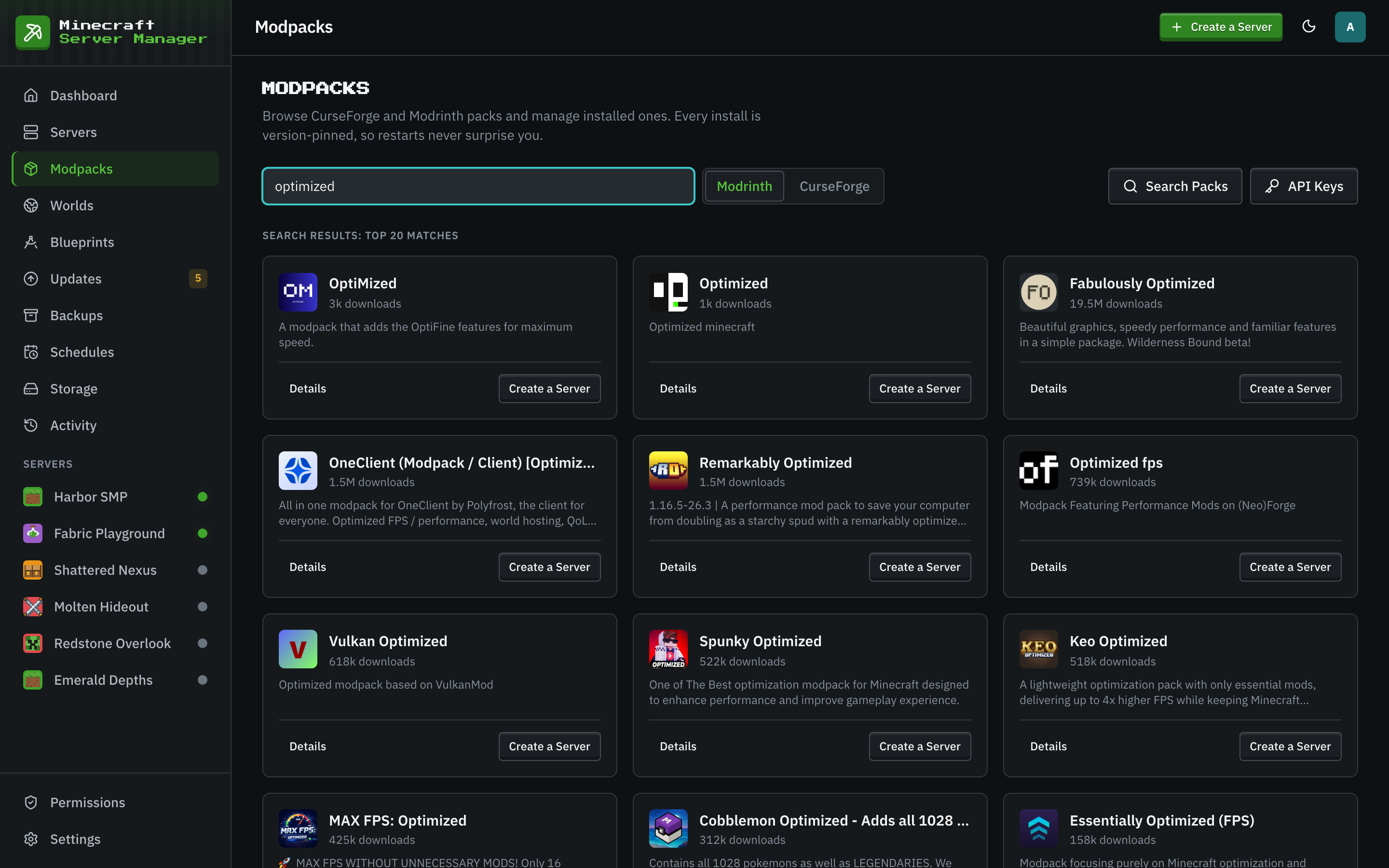
The Modpacks page and the From Modpack tab of the creation wizard search CurseForge and Modrinth by name; the wizard also takes FTB packs by ID, or a pack export you already have. Choose the version your friends will play. The panel installs exactly that version and keeps it there: a restart never upgrades the pack behind your back. CurseForge needs a free API key, added once under Settings, API Keys; Modrinth needs none.
- Search CurseForge and Modrinth, or upload a .mrpack, a CurseForge export or a zip of mod jars.
- The pack version is pinned, so everyone plays the same one.
- Java is picked for the pack's Minecraft version.
- CurseForge packs
- Modrinth packs
- FTB
- .mrpack
- CurseForge export
Give It Enough Memory
Modpacks need far more memory than a vanilla server, and a server has two numbers: the Java heap, and the container limit around it, which must be larger because Java uses memory beyond its heap. A light pack of 40 to 80 mods wants a 4 GB heap in a 6 GB container; a big kitchen-sink pack 6 to 8 GB of heap in 10 GB. The panel tells a server stopped for running out of memory apart from a crash, so you know which setting to change.
- Set the memory in the wizard, and change it later in the server's settings.
- Leave memory for the operating system and the panel.
- The Monitoring tab shows what the server really uses.
Send Friends an Invite They Can Follow
Friends install the same pack at the same version in their launcher: the CurseForge app, the Modrinth App or Prism Launcher. The server's Invites tab, under Settings, copies the address to share and an invite text with the Minecraft version. Friends on your network use the local address. For friends elsewhere, forward the game port on your router, or use a tunnel when your provider does not allow it.
- The Invites tab offers the local address, your public address and a custom one.
- If the whitelist is on, add each friend on the Players tab first.
- For a server built from mods you picked, the Invites tab also makes a client .mrpack that installs them and adds the server to the multiplayer list.
- .mrpack
Keep the World Safe
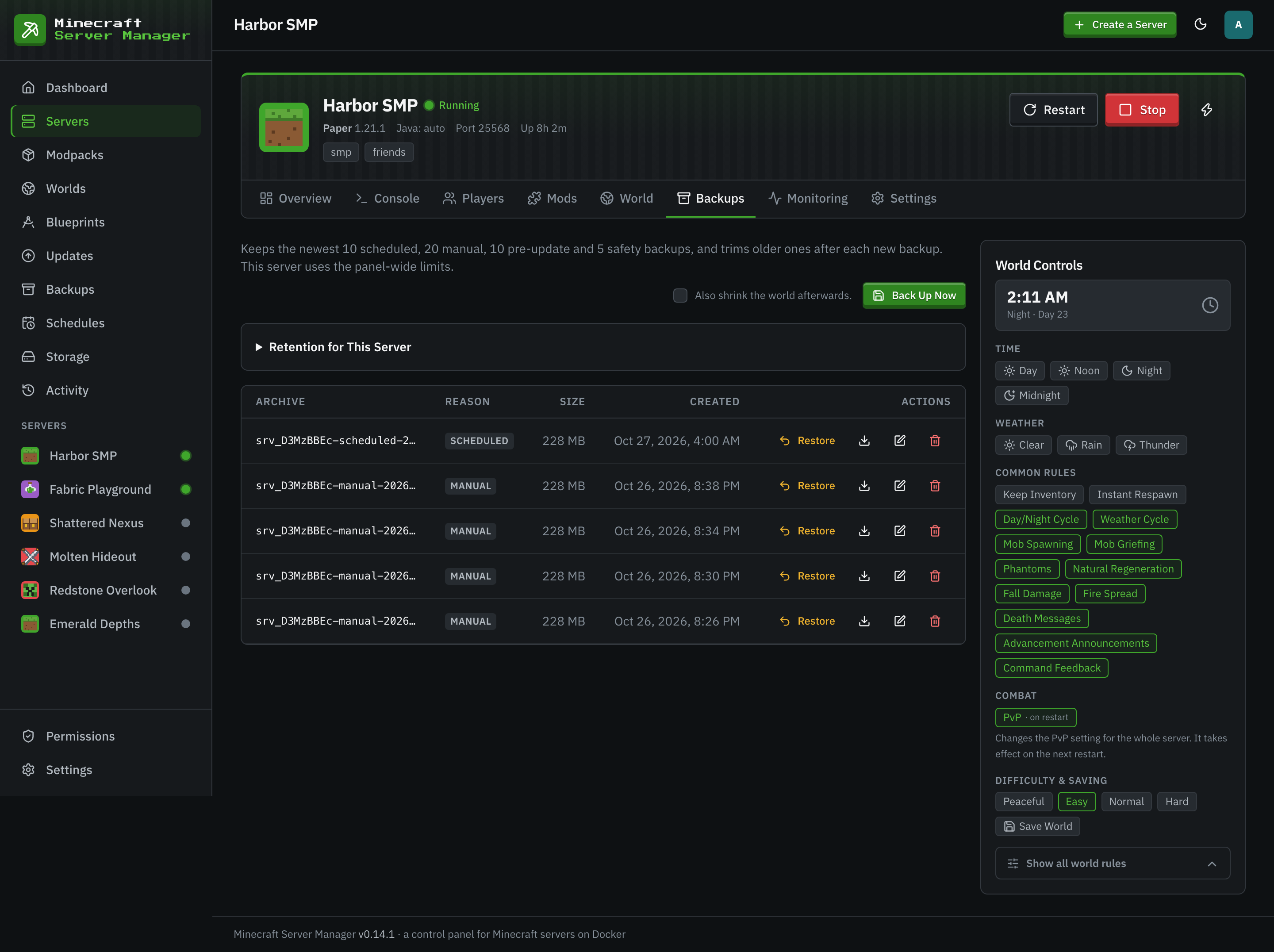
Every new server gets a daily backup schedule. Before a pack update the panel takes another backup, rebuilds the server on the new version and watches the first boot; if it does not come up, one click rolls it back. Mods you added on top of the pack stay through updates.
- Daily backups from the first day.
- Pack updates and downgrades with a backup and a rollback.
- Crash reports detected, explained and shareable.
Host Your Modpack Server
- 1
Install the Panel
On Linux, the one-line installer sets up Docker and the panel. On Windows and macOS, run the panel with Node.js next to Docker Desktop.
- 2
Add a CurseForge API Key
Only for CurseForge packs: add a free key under Settings, API Keys.
- 3
Create the Server From the Pack
Open the From Modpack tab of the wizard, find the pack, pick its version and memory, and create the server.
- 4
Invite Your Friends
Start the server, open Settings, Invites, and send the invite text. Friends install the same pack version in their launcher and join.
Modpack Server Questions
- How much RAM does a modpack server need?
- About 6 GB for a light pack of 40 to 80 mods and 10 GB for a big pack of 150 to 300, each with a smaller Java heap inside. Expert packs such as GregTech New Horizons want 16 GB. Leave room for the operating system too.
- Do my friends need the same modpack version?
- Yes. The server runs one pinned pack version, and a client with different versions of the mods is usually refused or crashes. Tell friends the version shown on the server's Overview tab.
- Can friends join without port forwarding?
- Yes, if they are on your network. From elsewhere, either forward the game port on your router or use a tunnel service, which also works when your provider blocks port forwarding.
- What happens when the pack gets an update?
- With the Notify Me policy the Updates page shows it. Applying it takes a backup, rebuilds the server and watches the first boot, and a rollback is one click. Your friends then update the pack in their launcher too.
Keep Reading
 Modpack serversCurseForge, Modrinth, FTB, and GT New Horizons packs pinned to an exact version, plus your own zip or .mrpack.
 Home server guideHost a Minecraft server at home on Windows, macOS, or Linux, and let friends join safely.
 Raspberry Pi guideTurn a Raspberry Pi 4 or 5 into a Minecraft server with a web panel, and size it honestly.
Play Your Pack on Your Own Server
Free, open source, and no account with anyone. Install the panel and create the server from the pack in the wizard.