A self-hosted Fabric server that knows what your mods support
Create a Fabric or Quilt server from the mods you want, keep the loader build where you put it, and only move to a new Minecraft version once every mod can follow.
 Fabric
 Quilt
- Modrinthkeyless
- CurseForge
- GitHub Releases
Why Fabric
Fabric is small, follows new Minecraft versions within days, and carries most of the modern performance mods. If your goal is a fast server with a handful of quality-of-life mods, this is the loader to pick. Nearly every Fabric mod also needs the Fabric API, which is a separate download you add like any other mod. Quilt is a fork of Fabric that runs most Fabric mods; choose it if you have a specific reason, otherwise choose Fabric.
- Quick to follow new Minecraft releases.
- Home of most modern performance mods.
- Quilt servers see Fabric builds automatically, since Quilt runs Fabric mods.
Start From the Mods You Want
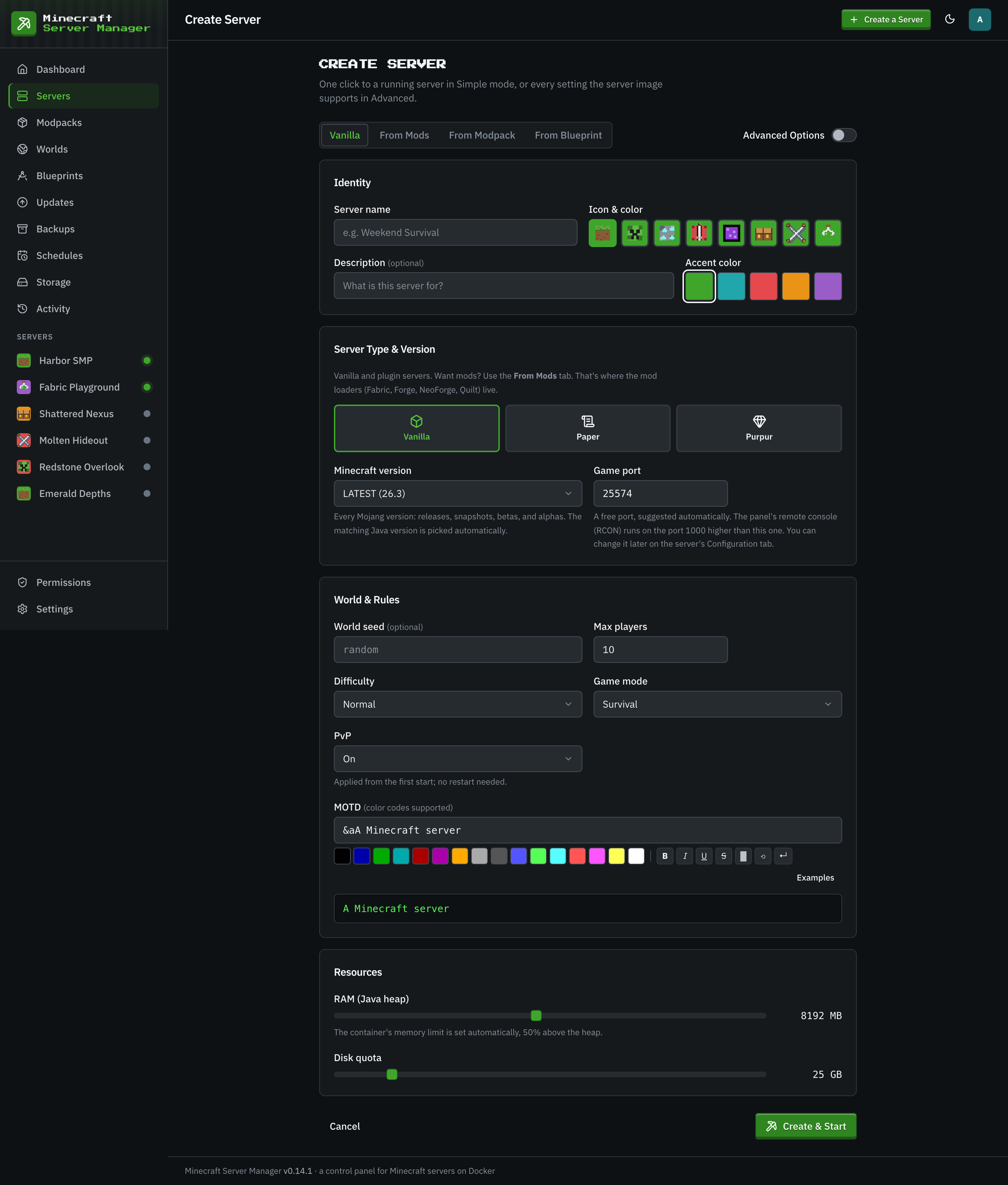
The wizard's From Mods tab picks the loader, the Minecraft version, and a loader build: the latest, or a specific one you pin. You can also do it the other way round. Choose the mods first, and the solver proposes the newest loader and Minecraft version that every one of them supports, then installs the set when the server is created.
- Pin a Fabric or Quilt loader build instead of tracking the latest.
- The Updates page offers newer builds for a pinned loader.
- The mod browser filters by loader, so a Forge jar cannot land in a Fabric server by mistake.
A Version Check Before Every Upgrade
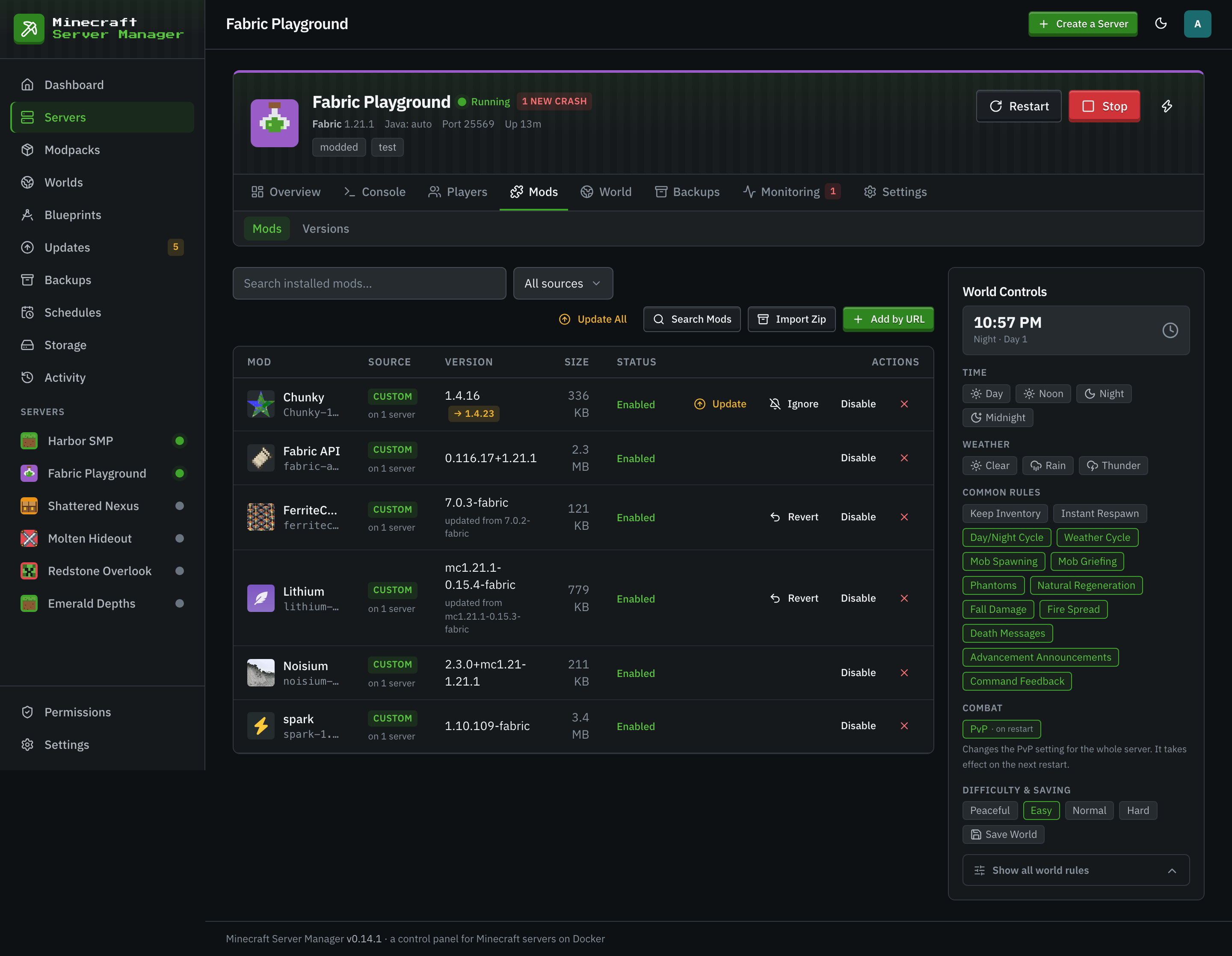
A Fabric server's Mods tab has a Versions sub-tab. It checks every installed mod against Modrinth and CurseForge and reports the highest Minecraft version they all have a build for, plus a breakdown of what each newer version would leave behind. A newer Minecraft version is only offered once that check backs it, and never while a jar cannot be identified.
- Modrinthkeyless
- CurseForge
Mods You Can Trust and Undo
Every registry download is verified against the strongest checksum the registry publishes before it reaches the server. Mods you add live in a shared library, deduplicated by sha256, so ten servers running the same mod store it once. Update a mod, ignore a version, or revert to the previous build when an update goes wrong. Import a Modrinth .mrpack or a zip of jars and every jar is identified and checked against the server before anything installs.
- .mrpack
 Zip of jars
- sha512
- sha256
Start a Fabric Server in Three Steps
- 1
Choose Fabric on the From Mods Tab
Pick Fabric or Quilt, a Minecraft version, and the latest loader build or a pinned one.
- 2
Search and Add Mods
Search Modrinth or CurseForge, add the Fabric API, and add the rest. Each download is verified.
- 3
Invite Your Players
The Invites tab makes a paste-ready invite and a client .mrpack of the mods you added, with your server already in the in-game server list.
Fabric Server Questions
- Do players need to install the same mods?
- Yes, for any mod that adds content. Mods change the game itself, so the client has to load the same ones. The Invites tab builds a client .mrpack of the mods you added, with your server already in the in-game server list, which players import into a launcher such as Prism or the Modrinth App.
- Do I really need the Fabric API?
- Almost always. Nearly every Fabric mod depends on it, and it is a separate download. Add it from the mod browser like any other mod.
- How do I know my mods will work on the next Minecraft version?
- Open the server's Mods tab and then Versions. It shows the highest Minecraft version every installed mod has a build for, and what a newer one would leave behind.
- A mod update broke the server. Can I go back?
- Yes. Revert the mod from its row on the Mods tab and the previous build comes back from the shared library.
Keep Reading
 Forge and NeoForgeForge and NeoForge for heavyweight mods, from 1.7.10 classics to current packs, with the right Java picked for you.
 Modpack serversCurseForge, Modrinth, FTB, and GT New Horizons packs pinned to an exact version, plus your own zip or .mrpack.
 Raspberry Pi guideTurn a Raspberry Pi 4 or 5 into a Minecraft server with a web panel, and size it honestly.
Host Your Fabric Server Yourself
Install the panel, open the From Mods tab, and pick your mods. No subscription and no limits on how many servers you run.