An MCSManager Alternative Focused on Minecraft
MCSManager is a free, open-source panel for Minecraft and Steam games that can manage several machines. Minecraft Server Manager runs only Minecraft on one machine, with every server in a Docker container and the Minecraft tools built in.
- Docker
- Linux
 Windows
- macOS
- arm64

Where Minecraft Server Manager Is Stronger for Minecraft
MCSManager deploys many kinds of game servers. Minecraft Server Manager is about one game, so the wizard, the mod tools and the history all speak Minecraft.
- Every setting of the itzg Minecraft image, explained in plain English in the wizard.
- CurseForge, Modrinth, FTB and GT New Horizons modpacks, pinned with one-click rollback.
- One mod search across five registries, with checksum-verified downloads.
- Crash forensics with suspects named, and one-click mclo.gs sharing.
- A one-click BlueMap live map, player analytics and portable blueprints.
- The whole panel, database included, is one folder you can copy to migrate.
- Modrinthkeyless
- CurseForge
 Hangarkeyless
- SpigotMCkeyless
- GitHub Releases
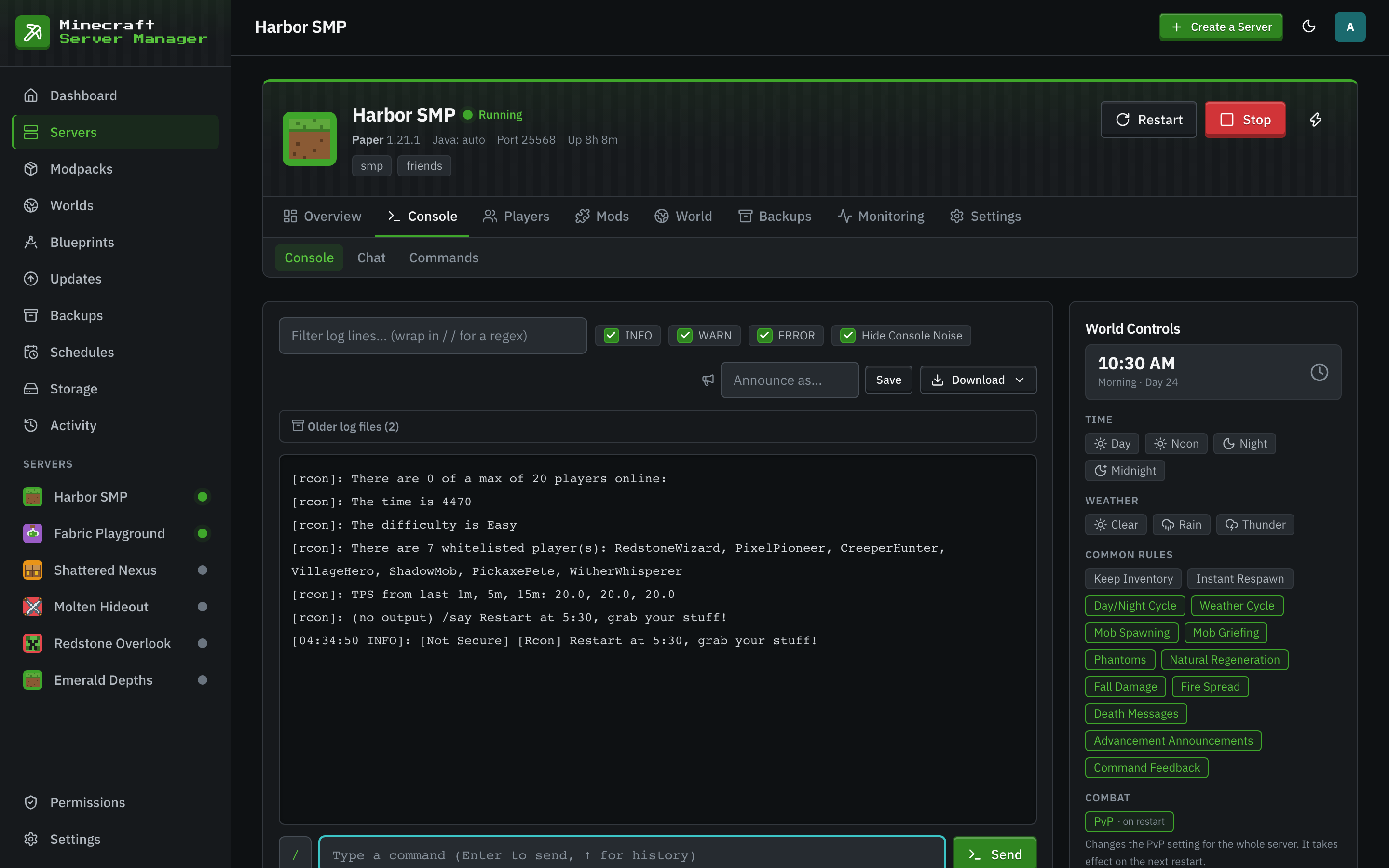
Containers by Default
Every server in Minecraft Server Manager is a Docker container with its own memory and CPU limits, plus a disk quota the panel enforces. Java is chosen per server, so a 1.12 modpack and the latest Paper release run side by side without juggling Java installs. MCSManager lets you choose between containers and plain processes, which is more flexible when Docker is not an option.
- Docker
- amd64
- arm64
When MCSManager Is the Better Pick
MCSManager is very actively developed and covers more than Minecraft.
- You manage servers across several machines from one panel.
- You also host Steam games such as Palworld or Terraria.
- You want to run servers as plain processes, without Docker.
- You want a drag-and-drop dashboard and a marketplace of ready-made game deployments.
Side by Side
| Minecraft Server Manager | MCSManager | |
|---|---|---|
| Price and licence | Free, MIT. | Free, Apache-2.0. |
| Written in | Node.js 24. | TypeScript on Node.js. |
| What you install | One process, or one Docker container. | Two services: a web panel and a daemon. |
| Database | Built-in SQLite file inside the data folder. | None needed. |
| Game servers run as | Resource-capped Docker containers. | Docker containers or plain processes, your choice. |
| Host systems | Linux, Windows and macOS. The image is built for amd64 and arm64. | Windows, Linux and macOS, with a one-line install script for Linux. |
| Machines managed | One. The panel and Docker run on the same host. | Many, through distributed daemons. |
| Games | Minecraft Java Edition. Bedrock players can join through Geyser. | Minecraft and Steam games such as Palworld and Terraria, from a built-in marketplace. |
Facts checked October 2026 against each project's own documentation.
MCSManager Questions
- Can I move a Minecraft server from MCSManager?
- Yes. Create a server with the same type and Minecraft version in Minecraft Server Manager, then upload the world as a zip on the Worlds page and install it to that server. Modded servers can start from a modpack, a pack export or a zip of mod jars.
- Do I need Docker for Minecraft Server Manager?
- Yes. Docker runs every server. On Linux the installer script installs Docker for you if it is missing.
- Can several people share one Minecraft Server Manager panel?
- Yes. There are admin, operator and viewer roles, per-server permissions, and optional two-factor sign-in for every account.
Keep Reading
 Pterodactyl alternativeA free multi-game panel built for hosting companies, with a separate daemon on every machine. Compare setup effort and Minecraft features.
 Multi-server guideRun several Minecraft servers on one machine without ports, memory, or disk getting in each other's way.
- PufferPanel alternativeA free, lightweight panel for many games and many machines, with servers as processes or containers. Compare isolation, nodes and Minecraft depth.
Minecraft, Done in Depth
Install the panel in three steps and create your first server from the wizard.