A self-hosted Paper server panel with a real plugin browser
Run Paper or Purpur in its own Docker container, find plugins from four registries without leaving the panel, and let players join on the game they already have.
 Paper
 Purpur
 Hangarkeyless
- SpigotMCkeyless
- Modrinthkeyless
- CurseForge
- GitHub Releases

Why Paper for a Public Server
Plugins run only on the server, so players join with an ordinary, unmodified client and never have to install a thing. Anything that is about rules, permissions, economies, land claims, minigames, or moderation is a plugin, and that is why nearly every public server runs Paper. It has years of performance work behind it and a setting for nearly every behaviour that has ever annoyed an administrator. Purpur is a fork of Paper with even more switches, gameplay ones included. Both are on the Vanilla tab of the creation wizard.
- Players connect with the normal game. No mods, no launcher setup.
- Most plugins from the Bukkit era still run.
- Pick Purpur only if you want its extra switches; otherwise Paper.
Four Plugin Registries in One Search
The Mods tab of a plugin server searches Hangar (PaperMC's own plugin registry), SpigotMC, Modrinth, and CurseForge, filtered to the server's Minecraft version. Only CurseForge needs an API key. You can also paste a project page, a GitHub repository or release, or a direct jar link, and the panel finds the right build. Every registry download is checked against the strongest checksum the registry publishes before it reaches the server, so a corrupted or tampered file never lands.
- Results already on the server show an Installed badge.
- If a SpigotMC resource is hosted somewhere else, the panel says so up front and offers to open the page and take the jar as an upload instead.
- Uploaded jars are identified, so they keep their real name and stay update-checkable.
- Hangarkeyless
- SpigotMCkeyless
- Modrinthkeyless
- CurseForge
- GitHub Releases
- sha512
- sha256
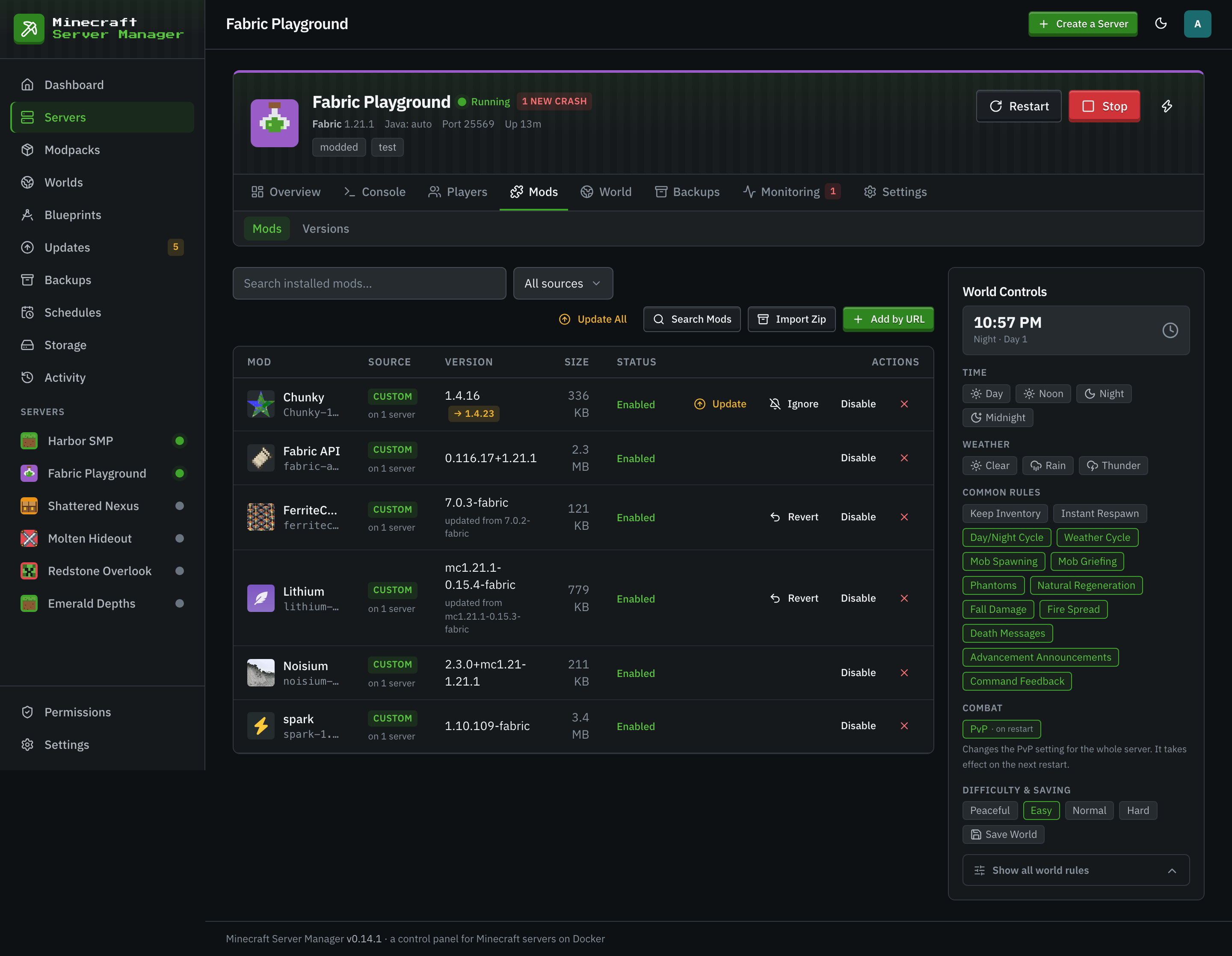
Plugin Updates Without the Guesswork
Every plugin you add is checked against its source on a daily schedule, and on demand. Update one plugin, ignore a version you do not want, or press Update All to apply everything with a single restart. If an update turns out badly, revert to the previous build from the shared library. Turn on Notify Me in the server's update policy and pending updates show up as a badge and on the Updates page.
- Daily checks against Hangar, SpigotMC, Modrinth, CurseForge, and GitHub Releases.
- A revert puts the previous build back from the library.
- If you pin a Paper build, the Updates page tells you when a newer one ships.
Run It Like a Community Server
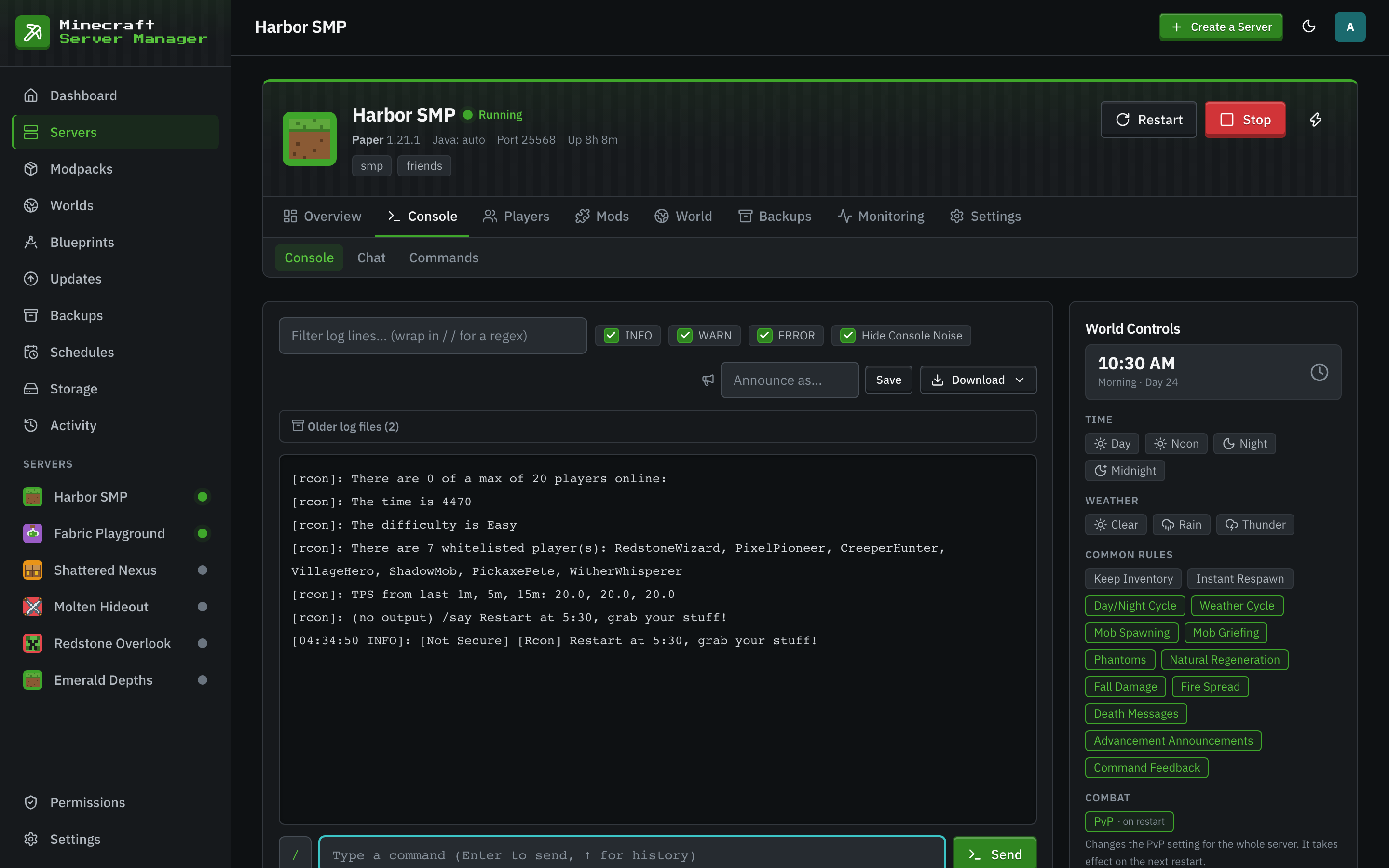
Paper servers get the same tools as every other server in the panel: a live console with an RCON command bar, whitelist, ops, bans and IP bans, teleports, and custom chat commands with cooldowns. Give your staff accounts with per-server permissions, so a moderator can run the console without touching backups or files. One click adds a BlueMap live map, served only through the panel's own sign-in, and Discord alerts tell you when something needs you.
 BlueMap
- Discord
Start a Paper Server in Three Steps
- 1
Pick Paper in the Wizard
Open Create a Server, stay on the Vanilla tab, choose Paper or Purpur, and pick a Minecraft version. A free game port and sensible memory are filled in for you.
- 2
Add Your Plugins
On the server's Mods tab, search Hangar, SpigotMC, Modrinth, or CurseForge, or paste a link. Installs are verified as they download.
- 3
Share the Address
The Overview tab shows the address to give players. They join with the game they already have.
Paper Server Questions
- Can I add mods to a Paper server?
- No. Paper loads plugins, which run only on the server. Mods change the game itself and need a mod loader such as Fabric or NeoForge on both the server and every client. If you want both, run a modded server and a plugin server side by side rather than one hybrid.
- Do I need a SpigotMC account or an API key to install plugins?
- No. SpigotMC, Hangar, and Modrinth all work without a key. Only CurseForge asks for an API key, which you add once under Settings, API Keys.
- A redstone farm from a video does not work on my server. Why?
- Paper changes some vanilla behaviour by default in the name of performance. That is usually the reason, and it is usually a setting in Paper's configuration, which you can edit in the server's file manager.
- Will my old Bukkit and Spigot plugins still work?
- Most of them, yes. Paper is a fork of Spigot and keeps the plugin API, so plugins written for Bukkit and Spigot mostly run unchanged. Check each plugin's page for the Minecraft versions it supports.
Keep Reading
 Fabric and QuiltFabric and Quilt servers for lightweight, fast-updating mods, with a version check before every Minecraft upgrade.
 The unchanged gameThe unchanged game, from snapshots to old betas, with world controls, backups, and player stats around it.
 Multi-server guideRun several Minecraft servers on one machine without ports, memory, or disk getting in each other's way.
Run Your Paper Server at Home
Install the panel on any machine with Docker, then create a Paper server from the wizard. Free, open source, and yours.