A PufferPanel Alternative Made Only for Minecraft
PufferPanel is a free, open-source panel for many games on one or many machines. Minecraft Server Manager runs only Minecraft on one machine, always in Docker, with the Minecraft tools built in.
- Docker
- Linux
 Windows
- macOS
- arm64
Isolation Without a Setting to Remember
PufferPanel lets you pick an environment per server. The standard one runs the server as a process on the host, as the same user as the panel, and its own documentation says it has no security features; the Docker one isolates it. Minecraft Server Manager has only the second kind. Every server is its own container with a memory and CPU cap, a disk quota the panel enforces, and nothing shared with the others but the mod library.
- One container per server, labelled and capped.
- Disk quotas enforced by the panel.
- A server that crashes or runs out of memory is detected and recorded.
- Docker
Where Minecraft Server Manager Goes Deeper on Minecraft
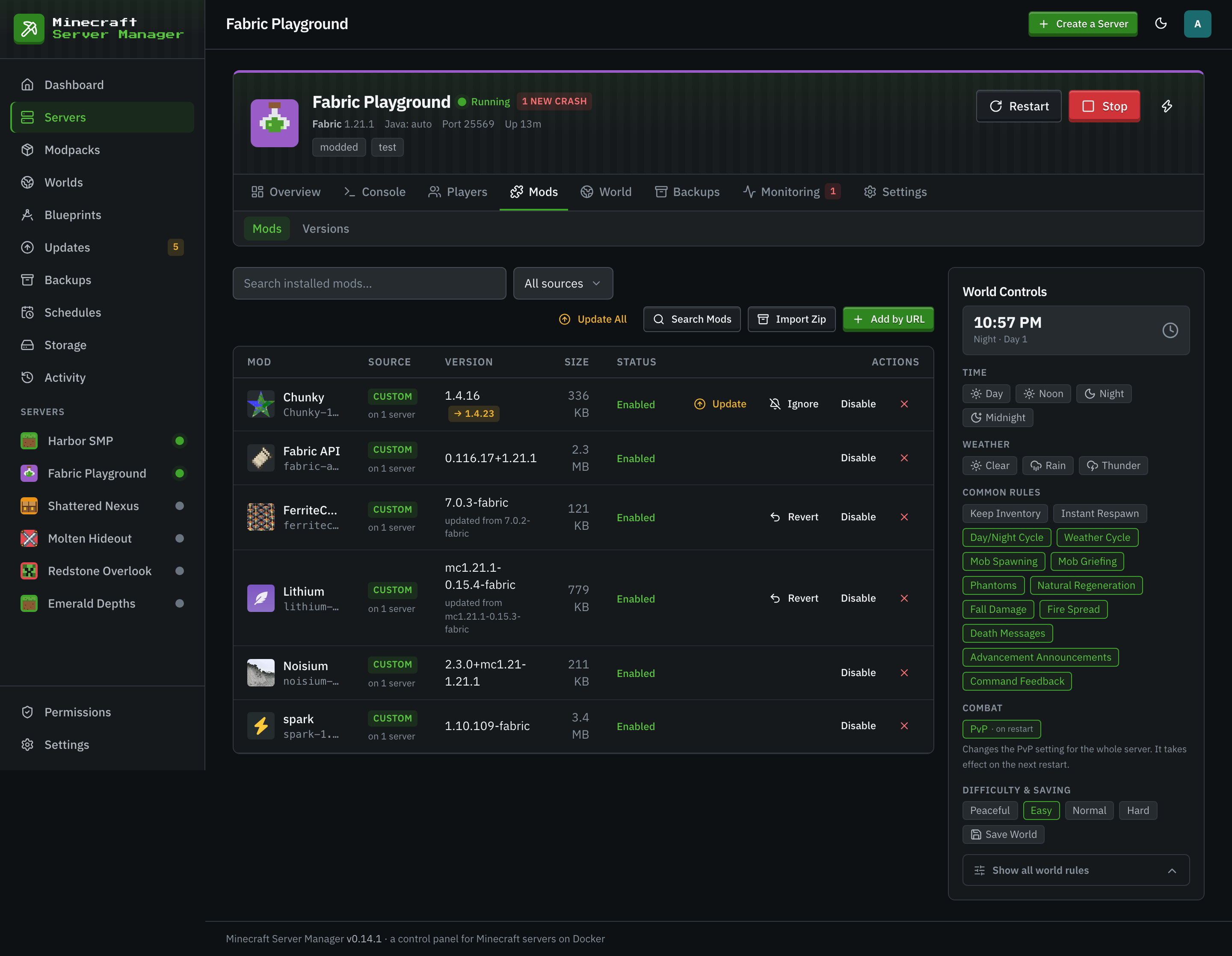
A template starts a server; the work comes after. Mods to find and update, packs that move on, crashes to read, worlds to back up. Those are built into the panel here.
- Modpacks are pinned to an exact version. Upgrades and downgrades take a backup first and roll back in one click.
- One search across five registries, filtered to the server's loader and Minecraft version.
- Every download is checksum-verified before it reaches the server.
- A version check shows which future Minecraft versions every installed mod already supports.
- Crash reports are detected, parsed and shareable to mclo.gs in one click.
- A one-click BlueMap live map, behind the panel's own sign-in.
- Modrinthkeyless
- CurseForge
 Hangarkeyless
- SpigotMCkeyless
- GitHub Releases
When PufferPanel Is the Better Pick
PufferPanel is light, free and has been around for years. If any of these describe you, pick it.
- You host games other than Minecraft.
- You run servers on several machines and want one panel for all of them.
- You want a native Bedrock server, or a BungeeCord, Velocity or Waterfall proxy network.
- You would rather not run Docker at all.
- You want SFTP access to server files.
Side by Side
| Minecraft Server Manager | PufferPanel | |
|---|---|---|
| Price and licence | Free, MIT. | Free, Apache-2.0. |
| Written in | Node.js 24. | Go. |
| What you install | One process, or one Docker container. | One service from its apt or yum repository, or its Docker image. A node on another machine runs the same package. |
| Database | Built-in SQLite file inside the data folder. | None to set up for a basic install. A guide covers using an external database. |
| Game servers run as | Resource-capped Docker containers, always. | Processes on the host (its docs say this environment has no security features) or Docker containers. |
| Host systems | Linux, Windows and macOS. The image is built for amd64 and arm64. | Linux: packages for Ubuntu 22.04 and 24.04 and Debian 10 and 11 on amd64 and arm64, Raspbian on arm64, and a yum repository. 32-bit is not supported. |
| Machines managed | One. The panel and Docker run on the same host. | Many. Nodes on other machines run servers for one panel. |
| Minecraft | Java Edition, every server type of the itzg image, and CurseForge, Modrinth, FTB and GT New Horizons packs. Bedrock players join through Geyser. | Templates for Java and Bedrock servers, CurseForge and FTB packs, and BungeeCord, Velocity and Waterfall proxies. |
Facts checked November 2026 against PufferPanel's documentation, its repository and its templates repository.
PufferPanel Questions
- Can I move a Minecraft server from PufferPanel to Minecraft Server Manager?
- Yes. Download the server's world folder, create a server of the same type and Minecraft version, then upload the world on the Worlds page and install it to that server. For a modded server, import the pack or a zip of its mod jars when you create it.
- Does Minecraft Server Manager need Docker?
- Yes. Every Minecraft server runs as a Docker container, which is how it caps memory, CPU and disk per server. The panel itself can run in Docker or straight from Node.js.
- Can it run servers on a second machine?
- No. It manages the Docker daemon on the machine it runs on. For two machines, run a panel on each, or pick a panel with nodes such as PufferPanel.
Keep Reading

Every Server in Its Own Container
Install the panel in three steps and create your first server in the wizard.