
Documentation
A complete, self-hosted control panel for itzg/docker-minecraft-server. Create, run, and manage Minecraft servers from your browser. No command line, no editing YAML by hand.
Start here
Section titled “Start here”- Getting started - first-run setup, signing in, and finding your way around.
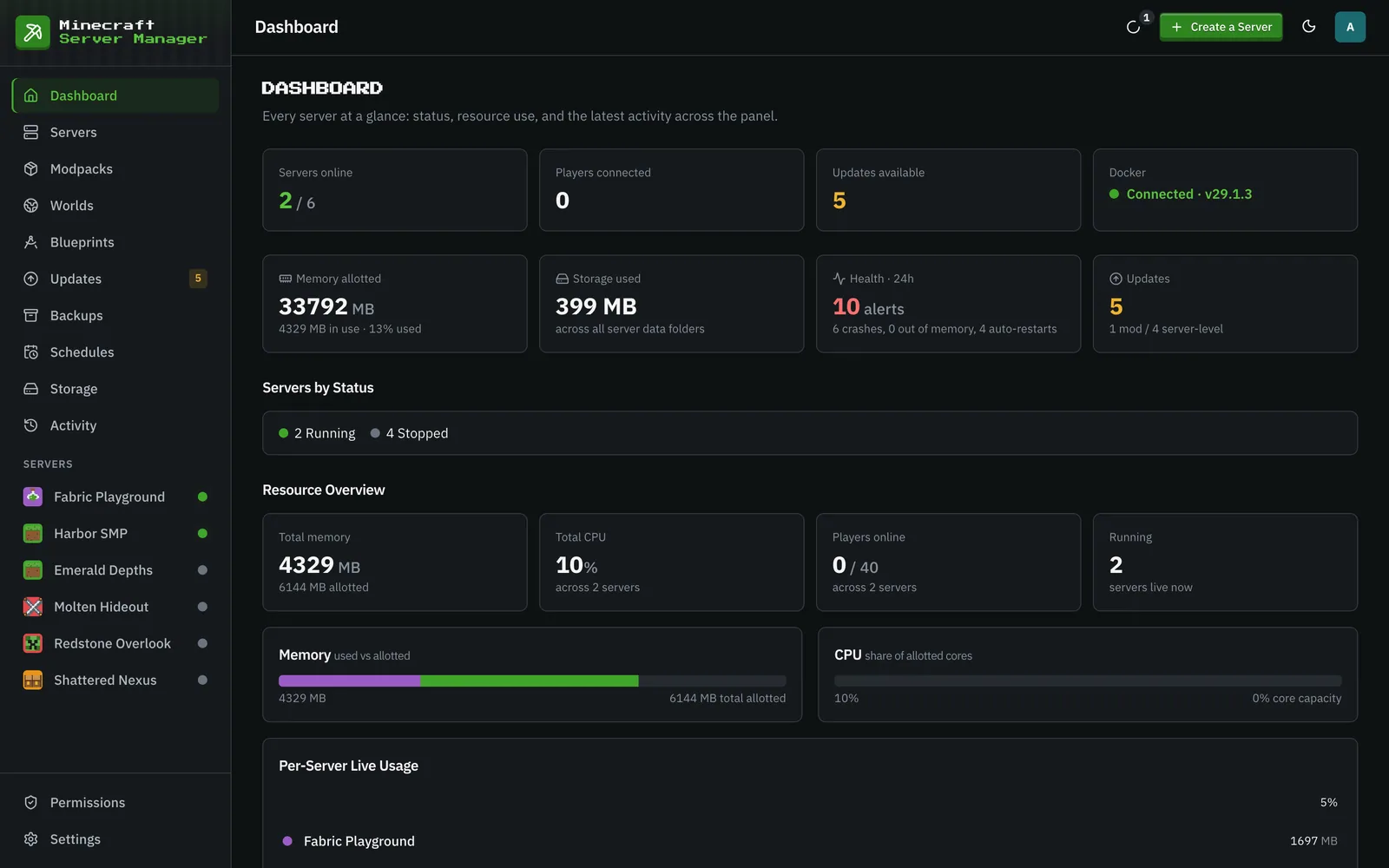
- The dashboard - the at-a-glance view of every server, players, and activity.
Running servers
Section titled “Running servers”- Creating & managing servers - the creation wizard, server types, versions, and per-server settings.
- Console & chat commands - the live console, and custom in-game chat commands that run as the player.
- Modpacks - install CurseForge, Modrinth, FTB, and GT New Horizons packs, always pinned to an exact version.
- Worlds & files - swap worlds, manage mods, and edit files directly in the browser.
- Shrinking a world - reclaim disk space by removing chunks nobody visits, on its own or as part of a backup.
- Live map - a one-click BlueMap 3D map of the world, behind the panel’s sign-in.
- Invites & status page - the address, invite text and client modpack for friends, and a public status page.
Data & automation
Section titled “Data & automation”- Per-server chatbot - local/OpenAI-compatible conversation, outreach, retained transcripts, and constrained gameplay powers.
- Backups - one-click snapshots, scheduled backups, how many to keep (panel-wide or per server), and restore.
- Blueprints - capture a server’s whole configuration and stamp out new ones from it.
- Schedules - cron-driven restarts, backups, and commands.
- Storage - per-server disk usage and panel-enforced quotas.
- Updates - track new server, pack, image, and mod versions, check which Minecraft versions your mods support, and undo a mod update.
- Activity log - an audit trail of everything that happened.
- Integrations - Discord webhook notifications and the Alerts category.
- Public API - a read-only, token-authenticated HTTP API for fetching server status from outside the panel.
Accounts & security
Section titled “Accounts & security”- Users & roles - admin, operator, and viewer, what each can do, and per-server permissions that refine them.
- Two-factor authentication - protect your login with an authenticator app.
Guides
Section titled “Guides”Not specific to this panel: the questions every Minecraft server owner runs into.
- How much RAM does a server need? - the two numbers to set, and why an idle server reads as 12 GB.
- Vanilla, Paper, Fabric, Forge, NeoForge, Quilt - which to run, and the plugin/mod difference behind the choice.
- Your server will not start - reading the log, and the handful of causes behind most failures.
- Backups that actually restore - consistent copies, what else to keep, and testing one before you need it.
- Moving a server to another host - the order that keeps downtime short and inventories intact.
Under the hood
Section titled “Under the hood”- Architecture - how the panel is put together.
- The website - how minecraft-server-manager.com is built, translated, and deployed from this repo.
Screenshots in these docs are taken in the panel’s dark theme. The panel starts dark unless your OS prefers light; use the theme toggle in the top bar to switch.