
Integrations
Each server carries its integrations under the Settings group: Discord, a public Status Page, one-click Invites, and the optional Chatbot tab (admins only). This page covers Discord; invites & status page covers those two, and the chatbot has its own page.
Discord notifications
Section titled “Discord notifications”The panel forwards server events to a Discord channel through a webhook. No bot, no OAuth.
- In Discord: Server Settings → Integrations → Webhooks → New Webhook. Pick the channel and copy the webhook URL.
- In the panel, open the server’s Settings → Discord tab, paste the URL into Webhook URL, turn the card on, and Save. The URL is stored encrypted (in the same at-rest store as your API keys).
- Use Send Test to confirm it works.
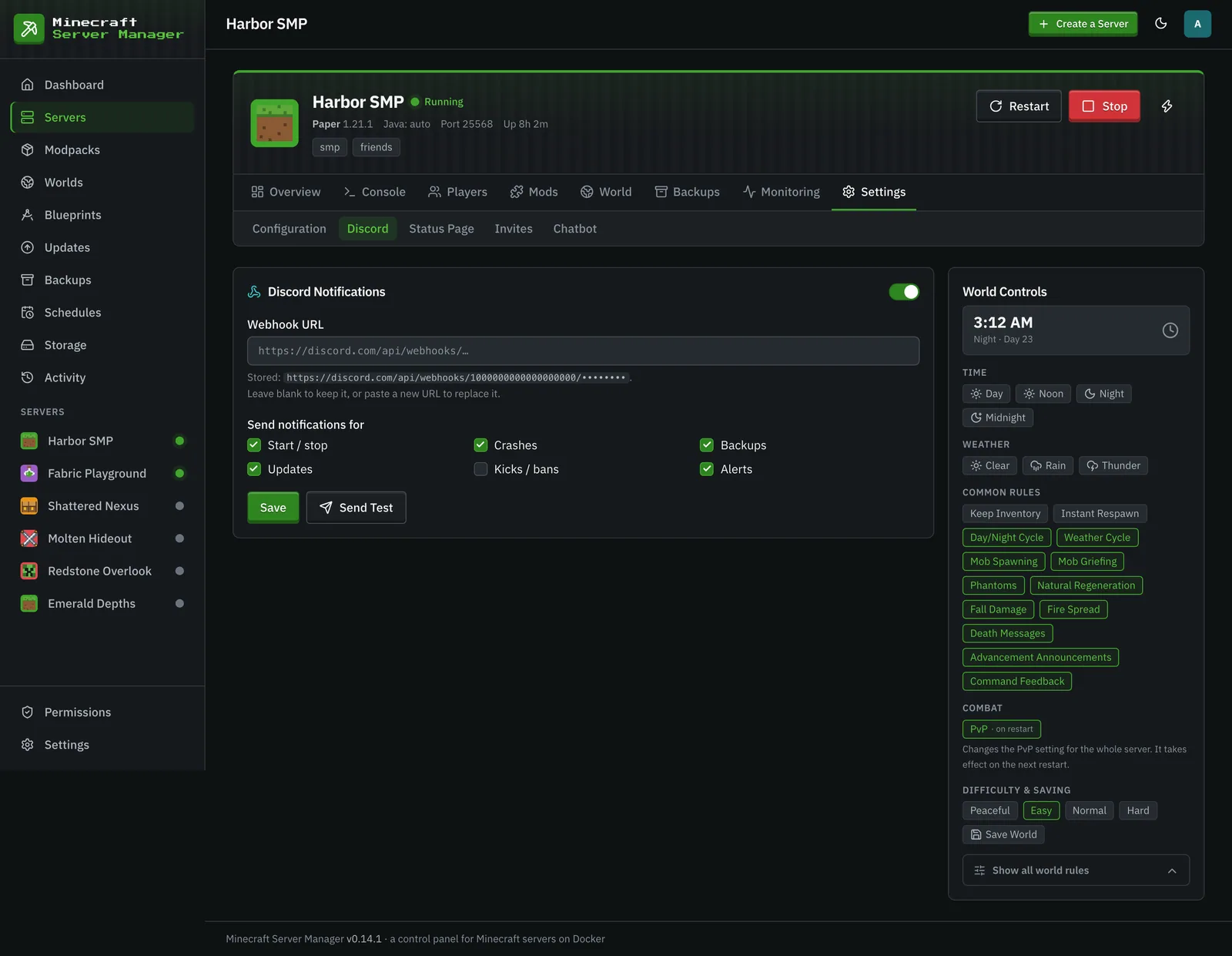
To replace a stored URL, paste a new one and save; leave the field blank to keep the current one. The stored URL is shown masked (the token is hidden).
What gets sent
Section titled “What gets sent”Notifications are grouped into toggleable categories. All are on by default.
| Category | Events |
|---|---|
| Start / stop | Server started, server stopped |
| Crashes | Crash, crash loop detected, new crash report |
| Backups | Backup created, backup restored |
| Updates | Update applied, update rolled back, update failed |
| Kicks / bans | Player kicked, player banned |
| Alerts | The things that quietly leave a server broken (see below) |
The Alerts category
Section titled “The Alerts category”Alerts is the “something needs a human” channel, for conditions that used to be visible only in the panel:
| Event | Meaning |
|---|---|
oom |
The container was stopped for running out of memory. |
unhealthy |
The process is up but the mc-health probe is failing: a live but dead server. |
startup-stalled |
Still starting after ~10 min with no “Done” in the logs (with a diagnosis of what to fix, where one is known). |
stop-failed |
A graceful stop didn’t take effect and the container is still running. |
schedule-failed |
A scheduled restart / backup / command failed. |
quota-exceeded |
Strict-mode disk quota tripped and the server was stopped. |
offline-after-restart |
The server was up before the panel restarted, isn’t now, and won’t be auto-started. |
port-change-failed |
A port change failed and the server could not be put back on its old port, so it is down. |
auto-restart-gave-up |
A crashed server was not restarted because another action kept it busy for too long. |
How delivery works
Section titled “How delivery works”A background bridge polls the event log every 15 seconds and forwards mapped rows. If a webhook POST fails transiently, that row is retried on later polls rather than dropped; after a few failed attempts the row is skipped, and delivery failures are logged at most once per hour per server. After a panel restart the bridge sends the events it had not delivered yet, but never more than two hours back; on its very first run it starts from the newest event.