
Console & chat commands
The live console
Section titled “The live console”The Console tab streams the server log in real time and gives you a command box to send any server command. No docker exec, no SSH. Output comes back inline, colors and all. Sending commands needs the Console permission on that server; without it you can still watch the log.
Above the log you can filter lines by text (or a /regex/) and by level (INFO, WARN, ERROR), and Download offers the recent output, the full latest.log, or every log file as a zip.
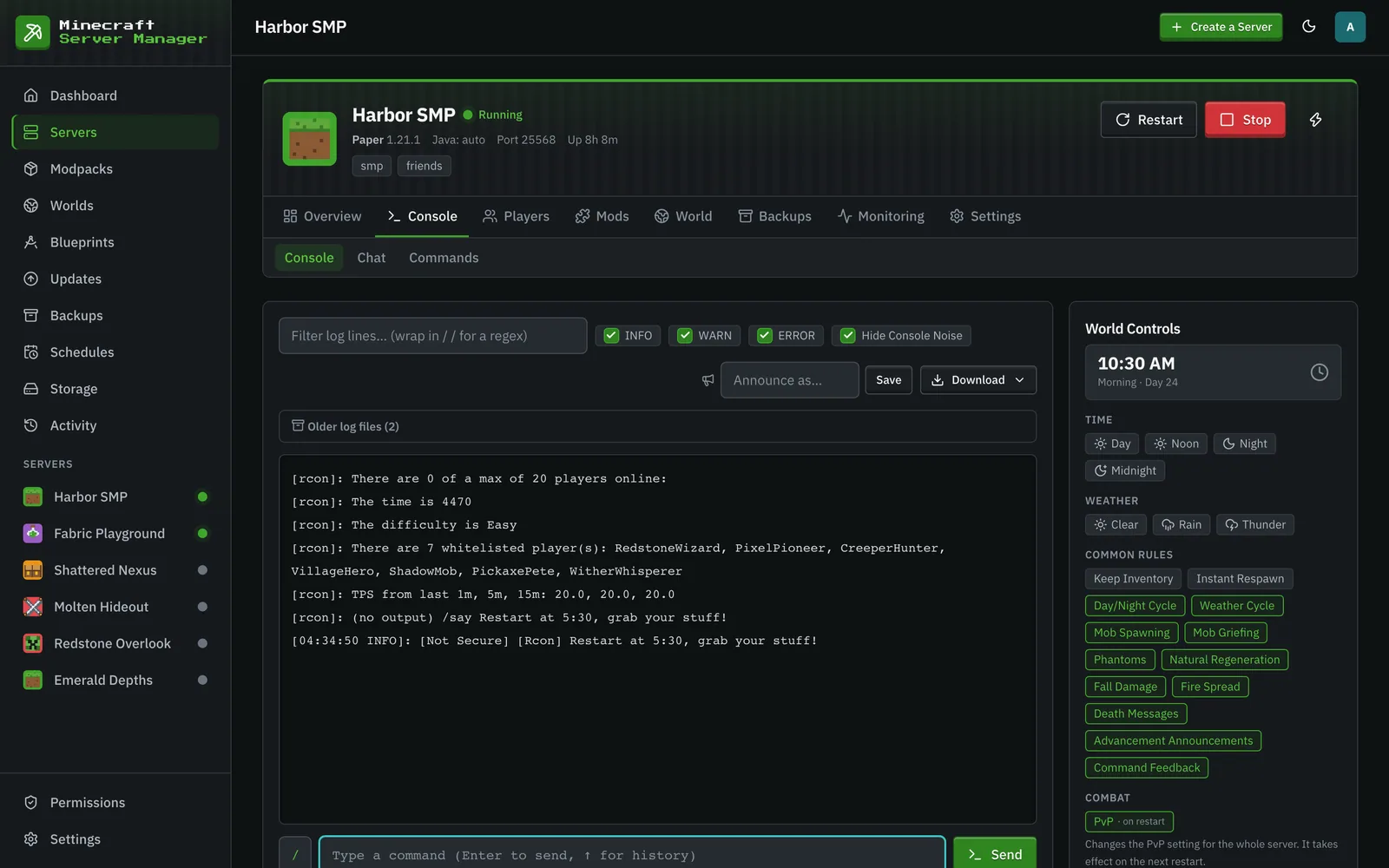
The console is also where the panel reads the server’s state: it watches the log to classify the boot phase (“Loading mods”, “Generating world”, “Finishing startup”) and calls list to track who’s online, so the dashboard and server cards always reflect reality.
That polling opens a short-lived RCON connection every cycle, which the server logs as a Thread RCON Client … started / shutting down pair every ~20 seconds, and (on servers whose core or plugins echo it) a Rcon issued server command: … line for each read-only poll (list for player counts, plus time query … and gamerule <name> reads while World Controls is open). The Hide Console Noise toggle above the log filters those lines out (along with the RCON listener startup lines). It’s on by default and remembered per browser; turn it off to see the raw stream.
Commands sent from the panel can be announced in-game under a per-server label (the Announce as… box), so players know an operator acted rather than a mystery console.
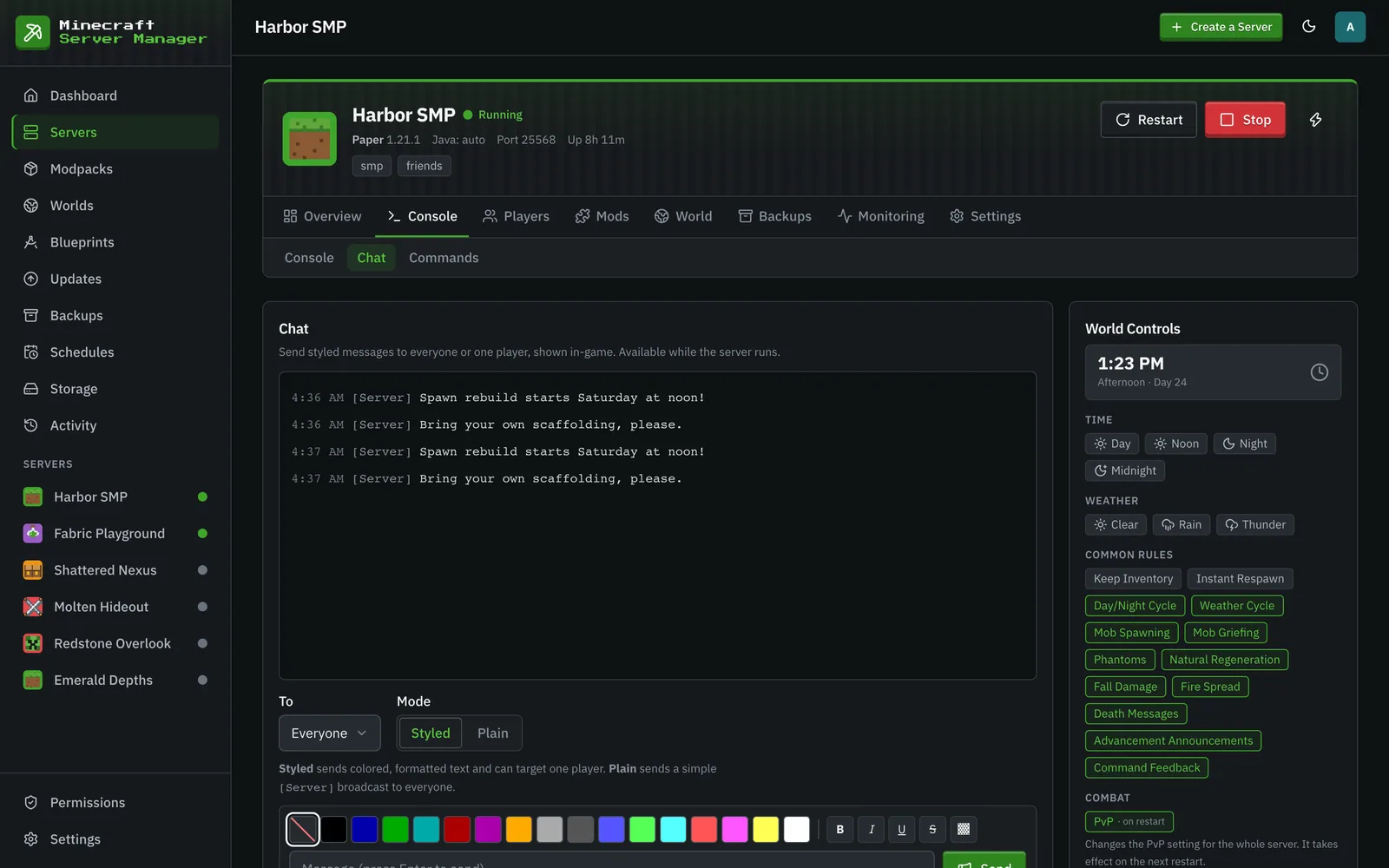
Console → Chat sends messages into the game while the server runs: Styled messages take colors and formatting and can go to everyone or one online player, and Plain sends a simple [Server] broadcast to everyone.
Chat commands
Section titled “Chat commands”Chat commands (Console → Commands) let players trigger panel actions by typing a prefix command in game chat, for example !spawn to random-teleport. Detection is log-based and execution goes through the server, so no mods are required.
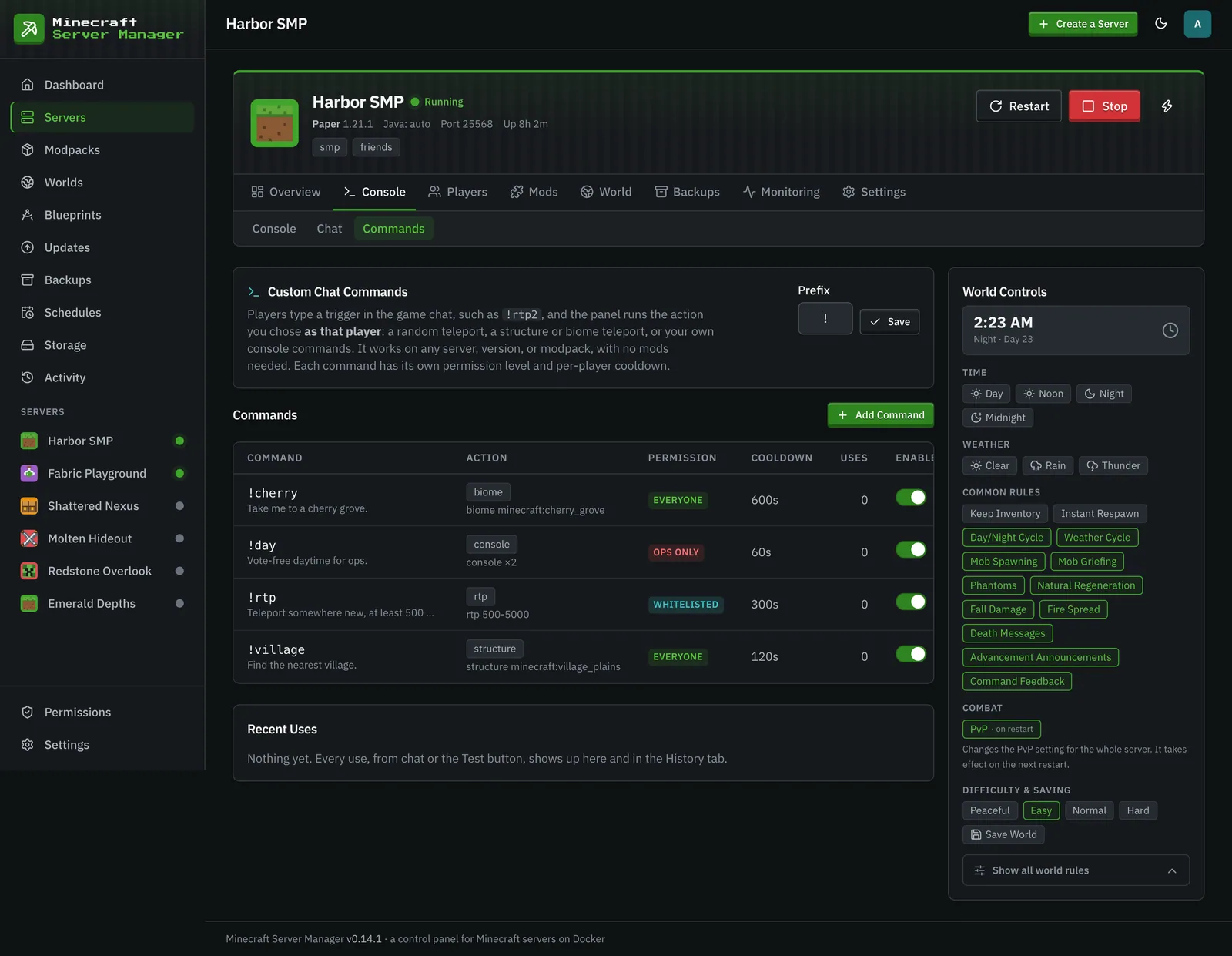
Each command has:
- A trigger (e.g.
spawn), typed after the server’s prefix (!by default, one or two characters, never/). - An action: random teleport, teleport to a structure, teleport to a biome, or run raw console commands.
- A permission level: everyone, whitelisted players, or operators only.
- A per-player cooldown (30 seconds by default), and customizable pending / success / failure messages with placeholders like
{distance}.
A note on safety
Section titled “A note on safety”Commands that can wreck a server (stop, op, ban, whitelist, and friends) are only allowed on operator-only triggers. The panel checks for these even when they’re nested inside an execute … run … chain, so a low-permission trigger can’t smuggle a dangerous command through. Ordinary chat text that merely mentions those words (like a say message) is left alone.